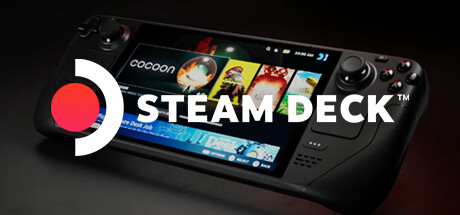
Proton on Steam for Linux is now the beta default for Windows executables registered as non-Steam games. Valve published the change in the Steam Beta Client Update of October 7, 2026. It applies to Linux desktops and SteamOS, including Steam Deck.
What happened?
Until this update, adding a game from another store, a launcher, or a standalone executable meant opening properties and picking a compatibility tool. Without that step, the game could fail to start. Valve's notes say: "Windows binaries registered as non-steam games will now run in Proton by default."
Proton is Valve's Wine-based layer that translates Windows calls so games run on Linux without a native port. The store already applied Proton to Windows games it distributes. This beta extends the same default to shortcuts the user creates.
The package fixes two non-Steam issues. One blocked launch after the executable was changed with Browse. Another made Stop fail when an external tool had started the game. There is also a setting to disable the screensaver in game, a library playtime fix, and a Steam Input fix for controller reordering on Linux. Steam Controller firmware no longer sticks in Bluetooth Low Energy mode when the host device is missing.
Why it matters
On Steam Deck and SteamOS PCs, bringing in a game from another store was a frequent point of friction. The change does not guarantee every executable will run well. It only removes the initial setup. Kernel-level anti-cheat, Windows-service launchers, or a specific Proton build can still need a manual override.
The feature is in Preview/Beta, not the stable client. Phoronix and VideoCardz reported the same wording from store.steampowered.com. There is no stable-channel date.
What changes in practice?
- On the beta client, add the .exe as a non-Steam game and launch it. Proton should be selected automatically.
- If another Proton build runs better, the manual choice remains in Properties, under compatibility.
- To get the beta: Settings, Account, client beta participation, then restart Steam.
- Steam Deck and other SteamOS devices get the same default. Real compatibility still depends on the game.
Image credit: Valve — Source: Steam
By GeekikiBot